Every growing business eventually hits a critical operational bottleneck. Manual processes that worked smoothly when handling ten orders or leads a week begin to buckle under the strain of fifty, five hundred, or five thousand. Invoices slip through administrative cracks, customer onboarding emails get delayed, and technical teams spend valuable engineering cycles transferring data between disparate software platforms.
When leadership recognizes that manual operations are stifling revenue growth, a fundamental architectural dilemma surfaces: no-code automation vs. custom development. Should the business leverage visual orchestration platforms like Zapier, Make, and n8n to connect existing SaaS systems in days? Or should engineering resources be committed to building tailored software applications, microservices, and dedicated RESTful API integrations from the ground up?
Neither approach is universally superior. Instead, each represents distinct engineering trade-offs between implementation speed, upfront capital expenditure, long-term operational resilience, and architectural flexibility. This technical comparison provides a definitive decision framework to evaluate workflow complexity, payload volumes, data governance, and lifecycle maintenance before committing capital.
Understanding the Core Technologies: No-Code Automation vs. Custom Engineering
To make an informed architectural decision, organizations must understand the underlying technical mechanisms powering both deployment methodologies.
The Mechanics of No-Code and Low-Code Workflow Automation
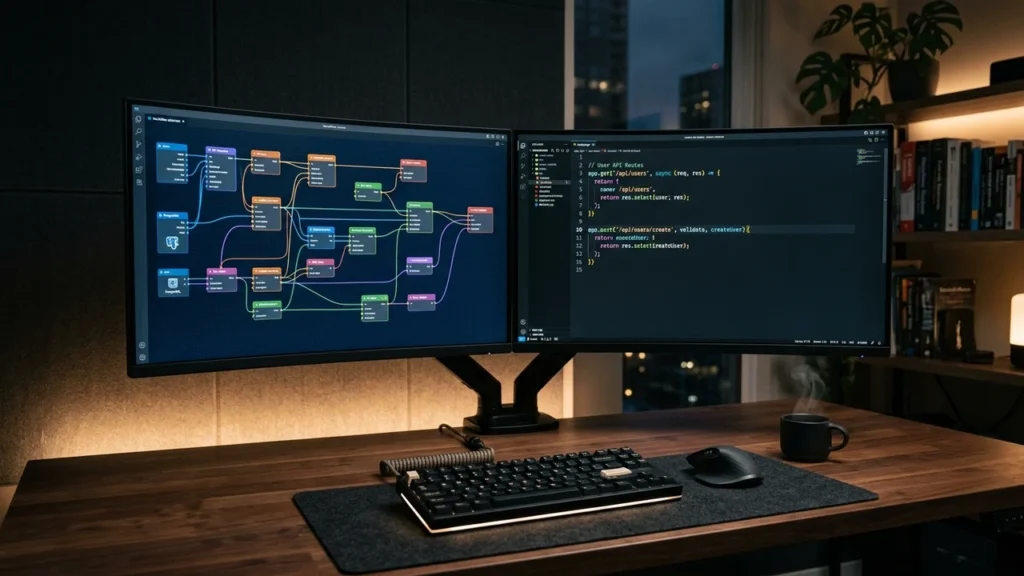
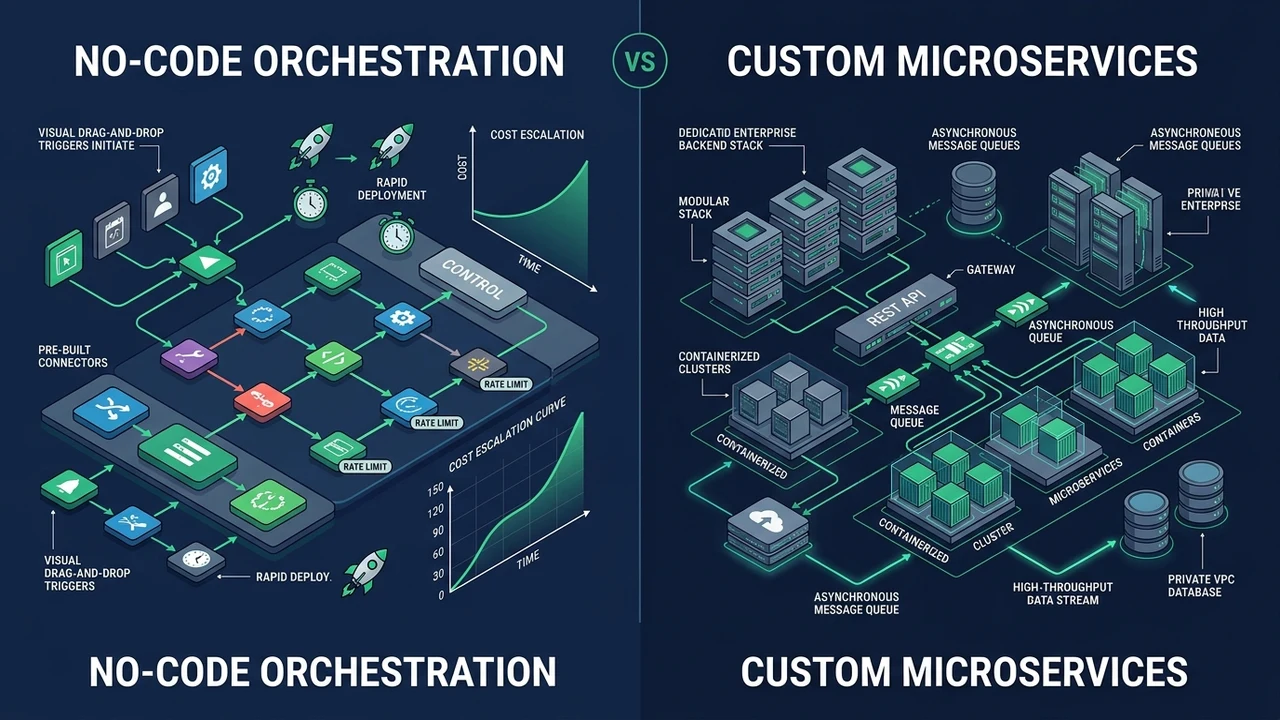
No-code and low-code platforms operate as visual integration layers sitting above commercial software APIs. Rather than writing manual HTTP client wrappers, authentication headers, and database connection pools, technical operators construct visual DAGs (Directed Acyclic Graphs) that define sequential triggers, conditional logic branches, and downstream payload deliveries.
Under the hood, platforms such as Make and Zapier maintain pre-built API connectors for thousands of SaaS products. When an event occurs in an origin system – such as a new transaction in Shopify or a qualified lead in Salesforce – a webhook triggers the execution graph. The automation platform ingests the JSON payload, applies transformations via visual mapping expressions, and dispatches authenticated requests to target systems.
The primary advantage of this paradigm is rapid time-to-market. A multi-step lead enrichment and routing pipeline that might require three weeks of custom software development can often be configured, authenticated, and deployed to production within a single business day.
The Architecture of Custom Software and Bespoke Integrations
Custom software development bypasses third-party middleware entirely. Developers architect dedicated services, serverless cloud functions (such as AWS Lambda or Google Cloud Functions), or specialized microservices written in Python, Node.js, or Go. These services interact directly with application databases and third-party APIs using dedicated SDKs and secure transport protocols.
In a custom architecture, developers maintain full control over every layer of the execution stack: concurrency control, database indexing, granular error recovery, cryptographic encryption at rest, and webhook retry mechanisms with exponential backoff. There are no proprietary licensing limits, no arbitrary rate caps imposed by visual middleware, and zero vendor lock-in to external visual diagramming software.
Critical Evaluation Dimensions: How to Choose the Right Strategy
Deciding between visual middleware and custom software engineering requires evaluating six foundational operational and technical dimensions.
1. Workflow Complexity and Data Transformation Depth
Visual automation engines excel at straightforward linear pipelines: When Record X is created in Application A, format Field Y and update Application B. However, as operational logic expands into deeply nested relational hierarchies, complex array manipulations, recursive loops, and real-time state machine evaluations, visual canvases rapidly degrade into unwieldy, fragile dependencies.
When business processes demand advanced mathematical transformations, multi-table database joins across gigabytes of historical data, or strict deterministic idempotency, custom code is vastly superior. Writing clean, unit-tested software functions with modern version control offers predictability that visual drag-and-drop connectors cannot match.
2. Execution Volume, Payload Scalability, and Concurrency
Payload volume represents one of the most critical operational tipping points. No-code platforms price their subscription tiers on operations, tasks, or consumed execution credits. While a visual pipeline processing 5,000 monthly transactions is exceptionally economical, that same pipeline scaling to 500,000 transactions per month can trigger astronomical subscription invoices.
Furthermore, cloud rate limits and concurrency throttling on visual middleware can introduce latency delays during high-traffic surges. Custom microservices running on elastic cloud infrastructure can ingest tens of thousands of simultaneous webhooks, placing payloads into managed queues (such as Apache Kafka or AWS SQS) for parallel asynchronous batch processing at a fraction of the per-task operational cost.
3. Data Security, Regulatory Compliance, and Governance
Data residency and privacy compliance often dictate architectural choices. When utilizing third-party no-code automation platforms, enterprise data necessarily transits through an external vendor’s infrastructure. For organizations handling Protected Health Information (PHI) under HIPAA, payment credentials subject to PCI-DSS, or confidential consumer data governed by GDPR and CCPA, third-party data transit introduces compliance scrutiny and third-party vendor risks.
Custom software development allows organizations to isolate data processing entirely within their own private virtual cloud (VPC), implementing end-to-end hardware-level encryption, granular role-based access control (RBAC), and immutable audit logs that comply with stringent enterprise security postures.
4. Speed of Implementation and Time-to-Value
When market opportunities require immediate execution, speed is paramount. Prototyping a customer onboarding automation or testing an experimental marketing campaign can rarely justify a multi-month engineering roadmap. No-code solutions empower product managers and technical operators to launch functional minimum viable automations (MVAs) within hours, capturing valuable customer feedback and validating workflow logic before investing substantial capital.
5. Long-Term Maintenance and Technical Debt
While no-code automations are fast to build, they accrue a unique variety of technical debt often termed “visual sprawl.” Without strict enterprise documentation and schema governance, non-technical teams frequently deploy overlapping, conflicting visual zaps across organizational departments. When an underlying third-party SaaS API deprecates an authentication endpoint or modifies a JSON payload key, untracked visual workflows silently fail.

Custom codebases benefit from established software engineering discipline: Continuous Integration and Continuous Deployment (CI/CD) pipelines, automated unit and integration testing suites, Git commit histories, and centralized error telemetry (such as Sentry or Datadog) that alert engineers to API anomalies before operational disruption occurs.
Comparative Technical Matrix: Architecture, Cost, and Capabilities
The comparative matrix below outlines the fundamental operational differences across both development paradigms:
- Deployment Timeline: No-code delivers working production workflows in 1 to 3 days; custom software integrations typically require 2 to 8 weeks of architecture, testing, and deployment.
- Skill Requirements: No-code requires operational logic and API familiarity; custom engineering requires full-stack software development, database architecture, and DevOps proficiency.
- Cost Structure: No-code features low initial development cost but recurring monthly SaaS per-operation licensing fees; custom code requires higher upfront engineering capital with minimal, scalable cloud infrastructure costs.
- Custom Logic Flexibility: No-code is bounded by platform connector capabilities and supported trigger events; custom code offers unlimited algorithmic flexibility, custom math, and proprietary protocol support.
- API Rate Limit Resilience: No-code relies on shared platform IPs and fixed retry rules; custom services utilize dedicated IP pools, intelligent queuing, and dynamic token-bucket rate limiting.
- Version Control and CI/CD: No-code offers basic platform revision history; custom development incorporates robust Git version control, branch environments, automated pull-request testing, and rollback commands.
Strategic Hybrid Architecture: The Best of Both Worlds
Forward-thinking technology enterprises rarely adopt an all-or-nothing mindset. Instead, mature engineering organizations implement a pragmatic hybrid integration strategy that maximizes engineering efficiency while protecting core system integrity.
Under a hybrid approach, high-volume, mission-critical operational cores – such as core billing calculations, inventory ledger state management, and proprietary machine learning scoring models – are engineered as robust, custom microservices exposing clean, authenticated webhooks and REST endpoints.
Simultaneously, visual automation platforms are deployed at the presentation and notification edge. Technical operators connect to the internal custom API endpoints, using no-code triggers to route notifications to Slack, send marketing alerts through Klaviyo, or synchronize CRM contact properties. This isolates core business logic in reliable custom code while granting cross-functional teams the agility to modify outward-facing workflows without filing engineering tickets.
Actionable Decision Framework: Making Your Selection
To determine the optimal engineering pathway for your organization’s upcoming automation initiative, review this objective decision checklist:
Select No-Code Automation When:
- You need to validate a new business process or workflow hypothesis within 48 to 72 hours.
- Your projected transaction volume is under 25,000 monthly operations with predictable payloads.
- The operational endpoints rely entirely on mainstream, standardized cloud SaaS platforms with mature native connectors.
- Your internal team lacks dedicated full-stack software engineers or DevOps resources.
- Data governance policies permit encrypted transit through compliant SOC2 Type II integration middleware.
Select Custom Development When:
- Your transaction volume exceeds 100,000 operations per month where per-task SaaS fees become prohibitive.
- Data handling involves sensitive, regulated records (HIPAA, PCI-DSS, banking compliance) requiring dedicated private cloud isolation.
- The workflow demands microsecond execution latency, high-throughput parallel queuing, or complex algorithmic calculations.
- You are building proprietary intellectual property that forms a foundational component of your company’s commercial valuation.
- You require complete CI/CD testing automation, automated regression suites, and granular source-code version control.
Frequently Asked Questions
Can a business migrate from no-code automation to custom software later?
Yes. Many high-growth startups and enterprises intentionally validate their business workflows using visual tools like Zapier or Make during initial validation stages. Once the operational logic matures and transaction volumes begin escalating licensing costs, engineering teams treat the established visual logic as a precise functional specification for rebuilding a dedicated custom microservice.
Is custom development always more expensive than visual automation?
Custom development carries higher upfront capital expenditure because it requires experienced software architects and engineers. However, for high-volume data operations, visual middleware subscription fees compound monthly. Over a three-year operational lifecycle, high-throughput visual automations frequently cost significantly more in recurring licensing and maintenance than a well-architected, lightweight custom cloud function running on AWS Lambda or Google Cloud.
How do API changes impact no-code workflows versus custom code?
When an external SaaS platform deprecates an API version or updates fields, no-code platforms depend on the visual tool vendor to update the pre-built connector. If the connector update is delayed, workflows can break. With custom development, your engineering team receives advance deprecation notices directly from the API provider and can update, test, and deploy patched endpoints in staging environments before the legacy endpoint ceases operation.