
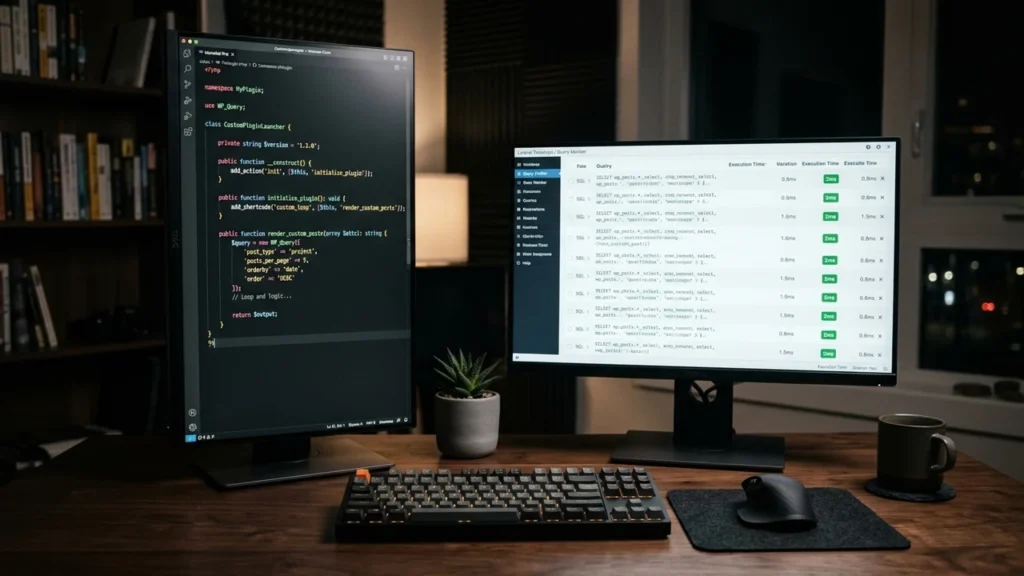
WordPress powers over forty percent of the modern web largely because of its vast ecosystem of more than sixty thousand third-party plugins. For startups and small businesses, installing an off-the-shelf plugin to add a contact form, an SEO meta box, or a simple booking calendar is a fast, pragmatic solution. However, as enterprise websites scale in traffic, database complexity, and operational integration requirements, the habit of installing another commercial plugin for every new feature request rapidly turns into a severe architectural liability.
Every third-party plugin added to a WordPress environment introduces external dependencies, global CSS and JavaScript assets, unindexed database queries, and potential security attack vectors. Eventually, engineering and technical operations teams face a pivotal question: when is building a custom WordPress plugin better than installing another off-the-shelf plugin?
This technical architecture guide evaluates the exact performance, security, database scalability, and total cost of ownership (TCO) thresholds that separate commodity plugin use cases from bespoke WordPress plugin engineering.
The Hidden Architectural Cost of Third-Party Plugin Sprawl
Commercial WordPress plugins are built for mass-market compatibility. Because a commercial plugin author must cater to tens of thousands of different user configurations, themes, and hosting environments, off-the-shelf plugins are inherently bloated with features, admin UI frameworks, telemetry scripts, and conditional settings that your specific business will never use.
1. Database Query Bottlenecks and wp_postmeta Bloat
The single largest performance bottleneck in high-traffic WordPress applications is the overuse of the default wp_posts and wp_postmeta tables. Off-the-shelf plugins almost universally store their data as custom post types and serialized key-value metadata inside wp_postmeta. Because the meta_value column is stored as a LONGTEXT data type without native indexing on value contents, running complex filtering queries across hundreds of thousands of rows triggers slow full-table scans and unindexed INNER JOIN operations.
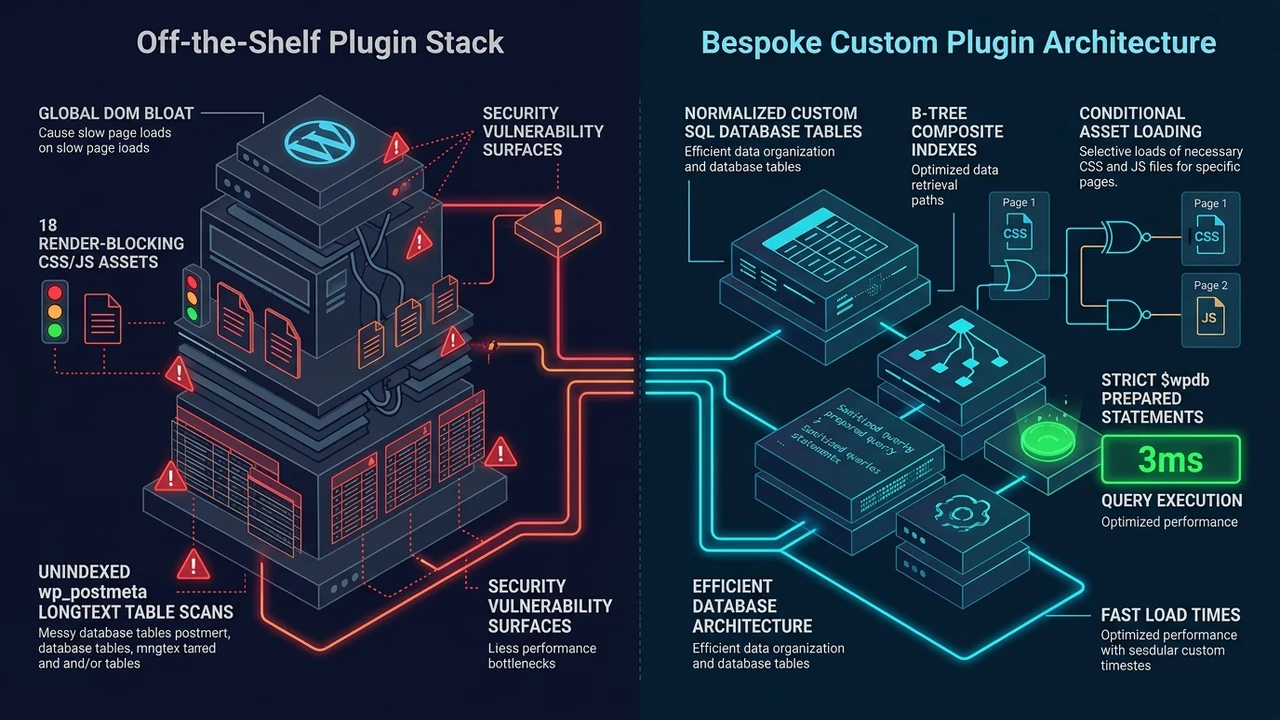
When you engineer a custom WordPress plugin, your database architects are not confined to the default key-value schema. A bespoke plugin can register dedicated, normalized custom database tables using dbDelta() with strict typed columns (BIGINT, DECIMAL, DATETIME) and composite B-Tree indexes tailored to your exact query patterns. Lookups that take 1,800 milliseconds across bloated postmeta tables execute in under 4 milliseconds against a properly indexed custom table.
2. DOM Payload Bloat and Core Web Vitals Degradation
Third-party plugins frequently enqueue render-blocking stylesheets and heavy JavaScript libraries across every single page of your website, even when the plugin’s functionality is only utilized on a single landing page. When five different commercial plugins each load their own slider library, icon font, and jQuery dependency, your site’s Largest Contentful Paint (LCP) and Interaction to Next Paint (INP) metrics suffer dramatically.
A bespoke plugin engineered specifically for your theme architecture loads zero superfluous assets. Scripts are conditionally enqueued strictly on the routes where they are required, leveraging native ES6 modules and REST API endpoints without bloated frontend frameworks.
3. Security Surface Area and Supply-Chain Vulnerabilities
Over ninety percent of compromised WordPress installations are breached not through WordPress Core, but through vulnerabilities in third-party plugins – specifically SQL Injection (SQLi), Cross-Site Scripting (XSS), and broken access control in AJAX handlers. Furthermore, commercial plugins frequently change ownership, abandon maintenance, or introduce breaking updates during automatic background patches.
With a custom plugin built in-house or by a dedicated software engineering partner, every database query utilizes strict $wpdb->prepare() parameterization, every REST endpoint enforces cryptographic wp_create_nonce() verification and capability checks, and the codebase contains zero external freemium upsell SDKs.
Key Scenarios Where a Custom WordPress Plugin Is Superior
While commodity functions like basic SMTP mail delivery or standard XML sitemaps rarely justify custom code, four core operational scenarios strongly favor custom plugin development.
Bespoke ERP, CRM, and Two-Way API Synchronizations
When your WordPress site must synchronize real-time inventory, customer pricing tiers, or order statuses with an enterprise ERP (such as NetSuite or SAP) or a custom CRM, off-the-shelf connector plugins frequently fail under edge cases. They struggle with custom authentication handshakes, rate-limit backoff retries, and webhook payload validation. A custom WordPress plugin utilizing Action Scheduler or WP-Cron background workers ensures idempotent, fault-tolerant data synchronization.

Proprietary Customer Calculators, Portals, and Quote Engines
Attempting to force a complex multi-variable pricing calculator or client portal into a generic form-builder plugin results in fragile conditional logic rules that break during routine updates. Writing a clean, modular custom plugin with a lightweight React or Alpine.js frontend communicating with a custom register_rest_route() controller delivers superior speed, maintainability, and UX precision.
High-Volume Custom Data Directories and Search Facets
If your business manages tens of thousands of real estate listings, automotive parts, medical providers, or financial records, relying on general-purpose directory plugins will exhaust server PHP memory limits. Custom plugins allow direct integration with dedicated search engines like Elasticsearch, Meilisearch, or Algolia alongside custom SQL tables.
Comparative Decision Matrix: Off-the-Shelf vs. Custom Plugin
- Initial Deployment Speed: Off-the-shelf plugins deploy in hours; custom WordPress plugins require 1 to 4 weeks of specification, development, and QA testing.
- Codebase Footprint: Off-the-shelf plugins often contain 20,000+ lines of generalized code; custom plugins typically require 300 to 1,500 lines of focused, purpose-built PHP and JavaScript.
- Database Efficiency: Off-the-shelf plugins rely on generic serialized wp_postmeta rows; custom plugins utilize normalized custom SQL schemas with high-speed composite indexes.
- Licensing & TCO: Off-the-shelf plugins charge recurring annual per-site subscription fees ($199-$999/year); custom plugins require a one-time engineering investment with zero recurring licensing fees.
- Update Safety: Off-the-shelf updates can unexpectedly break theme templates or conflict with other plugins; custom plugins follow your internal Git CI/CD staging workflow.
Best Practices for Engineering Maintainable Custom Plugins
When commissioning or developing a custom WordPress plugin, adherence to modern software engineering standards ensures your plugin remains compatible across future WordPress Core and PHP 8.x+ releases:
- Strict Object-Oriented Namespacing: Encapsulate all classes under PSR-4 autoloaded namespaces to eliminate function name collisions in the global PHP scope.
- Decoupled Business Logic: Separate data access repositories, REST API controllers, and presentation templates so your underlying logic remains portable.
- Automated WP-CLI Commands: Build custom WP_CLI commands into your plugin to allow DevOps engineers to run batch migrations, cache purges, and health checks directly from the terminal.
Frequently Asked Questions
Will a custom WordPress plugin break when WordPress Core updates?
No, provided the plugin is engineered using official WordPress Core APIs, hooks (actions and filters), and standard $wpdb abstractions rather than modifying core files. WordPress maintains strict backward compatibility across major releases.
Can a custom plugin replace three or four existing plugins at once?
Yes. Consolidating multiple single-purpose plugins (such as custom post type registration, custom admin columns, webhook notifications, and schema markup injection) into one unified, lightweight site-specific core plugin is one of the most effective ways to reduce server memory usage and speed up TTFB (Time to First Byte).